Memaparkan catatan dengan label Administrator Setting. Papar semua catatan

Khamis, 21 Julai 2016

How to Remove Kaspersky Password Protection? [Easily Recover]

You want to find Kaspersky password, which you have forgotten. Sorry, there is no way to find it. But I can guide you to remove old Kaspersky password. Of course, you can create a new password if you want to use a password.

Which two steps should be performed when resetting the password:

Remove the passwordCreate a new password

Important

Difficulty

Time Required

You should make a backup copy of the registry files before you modify the registry.

Average

Reset Kaspersky password usually takes less than 10 minutes.

What Kaspersky product are you using?

 Kaspersky Anti-virus Kaspersky Internet Security Kaspersky Total Kaspersky Small Office Security Kaspersky Endpoint Security for Business Other Kaspersky productSee results without voting

Kaspersky incorrect password
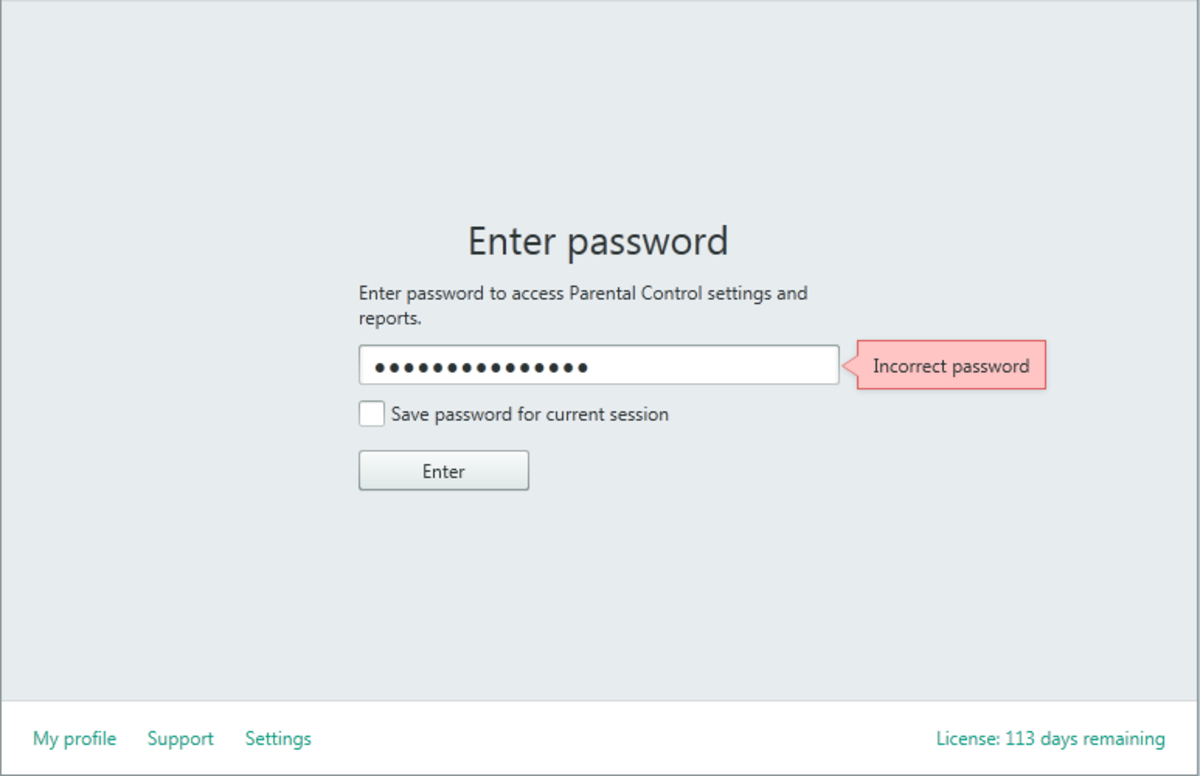
Kaspersky password protection incorrect

1. How to remove Kaspersky password?

a. Star your computer in Safe mode

- Restart your computer

- Press and hold the F8 key as your computer restarts. You need to press F8 before the Windows logo appears.

(If your computer errors in the process into safe mode, you can seek assistance on Google, Microsoft forum and then fix it. Still cannot fix, please read the instructions at the bottom of the article.)

b. Edit regedit Kaspersky software

Kaspersky has a service running on your computer called Self-Defense that keeps some registry entries locked and the installed folder for Kaspersky locked from changes. Therefore, you cannot edit regedit Kaspersky in normal Windows mode. You must do this in Safe mode.

- Open registry editor:

Windows XP: Click Start button, choose Run, enter regedit in the Run dialog box and click OK button.Windows 7 or Windows Vista: Click Start button. In the search box, type the following: regedit and then pree Enter key.Windows 8, Windows 8.1 and later: Right-click on the Start button. Choose Run, enterregedit in the Run dialog box and pree Enter key.

- Find Kaspersky registry:

Browse to the following key (KAV, KIS and KSOS only):

Windows 32-bit: HKEY_LOCAL_MACHINE\SOFTWARE\KasperskyLab\AVP15.0.1\settings

Windows 64-bit: HKEY_LOCAL_MACHINE\SOFTWARE\Wow6432Node\KasperskyLab\protected\AVP15.0.1\settings

AVP15.0.1 is your version Kaspersky. It may be a different value, depending on which Kaspersky version that you are using.

In the right pane, look for the value:EnablePswrdProtect

Another solution:

On the Edit menu, click Find. In the Find What box, type EnablePswrdProtect. Click Find Next.

- Modify registry:

Select the EnablePswrdProtect entry. Right-click on the EnablePswrdProtect entry and click Modify from the menu that drops down.

In the 'Value data' box, change the value to 0 from 1

Click OK.

Exit Registry Editor.

- Restart your computer (with normal Windows mode)

Rabu, 25 Jun 2014

"The User Profile Service failed the logon” error message


Korang pernah x log in ke Windows 7-b-based or a Windows Vista-based dengan menggunakan profil sementara dan korang dapat error mesej ni  "The User Profile Service failed the logon” ??

Terdapat beberapa cara yang boleh digunakan untuk menyelesaikan masalah ini:

Jumaat, 16 Mei 2014

Cara untuk restore dari windows 8

Kebanyakan untuk pengguna2 windows version lama (xp,vista,win7dll) akan merasa sedikit kebengonggan bila sebut berkaitan dengan windows 8..Inikan pula nk buat restore melalui system restore ( restore point)... Atas sebab2 yang error dsb.....

Disini adalah salah satu cara untuk buat restore dari windows 8...


Selasa, 25 Mac 2014

Limitation RAM untuk OS

The 32 bit versions of Windows desktop OSes are limited to 4 GB at most. Home Premium X64 is limited to 16 GB. The 64 bit Professional, Enterprise, and Ultimate all support 192 GB.

32 bit application software uses up to 2 GB of RAM (3 GB for large memory aware applications). More than 4GB of RAM can be useful if you wish to have multiple 32 bit applications running at the same time. 64 bit applications are useful for tasks that must access lots of memory (finite element analysis, video processing, etc.).

As RAM is relatively cheap at the moment, even if you waste it, you won't be wasting much money.


Rabu, 3 April 2013

Selasa, 26 Mac 2013

"Read Only" Driver

Setakat ini masalah ini hanya terdapat di Window 7 (Professional dan Home Premium).Dimana External hdd dan Usb Driver mempunyai distribution "Read Only".Masalah ini banyak menyusahkan pengguna (Ends User) yang tidak mempunyai latarbelakang it.Masalah ini menyebabkan Driver itu tidak boleh di copy,cut, paste atau lebih senang dikatakan tidak boleh membuat sebarang "editing" langsung.

Jumaat, 22 Mac 2013

MTP ERROR

MTP Error...Mungkin korang sendiri x paham benda alah ape laa MTP ni kn??? MTP adalah Media Transfer Protocol...Samsung (Android Phone) menggunakan MTP untuk membuat pindahan bahan (lagu,gambar,data dll) ke komputer.aku dapatmasalah ni bile kawan sejawat (mungkin rendah skit kot jawatan die) ade masalah ni....Lepas uninstall Kaspersky phone die trus xdpt baca didalm komputer tersebut (Komputer lain ok je)...

aku jumpe 2 cara. 1 darinya menggunakan driver yang didownload dari Microsoft sendiri tetapi cara ni agak merbahaya jika terdapat software2 pirate (of course bagi kebanyakan orang benda ni adalah biasa) dan 1 lagi caranya menggunakan Registry

Sabtu, 16 Mac 2013

How to Hide "Administrator" Account

Untuk Peringatan,Tip ini hanya untuk window 7 Pro dan keatas sahaja....(Win7 Home Premium kebawah...x disarankan langsung)